
Top Enterprise Survey Platform Features

An enterprise survey platform helps large organizations collect, manage, and act on feedback at scale. In 2026, this type of platform is more important than ever because businesses need faster insights, stronger data security, and better ways to connect feedback across teams.
Unlike basic survey tools, enterprise platforms are built for high-volume use, cross-team collaboration, and advanced reporting. As a result, they help companies collect feedback from employees, customers, partners, and market audiences without creating scattered data or disconnected workflows.
In this guide, we’ll explain what makes an enterprise survey platform different, which features matter most, how teams use these tools, and what to look for before choosing the right solution.
What Is an Enterprise Survey Platform?

An enterprise survey platform is a centralized system that helps large organizations run surveys across teams, locations, and audiences. Unlike lightweight tools built for small teams, these platforms are designed to support scale, compliance, and integrated workflows.
Built for Scale
Basic survey tools often work well for one-off feedback. But they struggle with large-scale deployment, custom access controls, and advanced reporting.
Enterprise platforms support:
- High response volumes
- Centralized control over branding and templates
- Role-based access and multi-team use
They’re used across HR, customer experience, product, and operations teams—helping each group gather the data they need without creating duplicate efforts.
Who Uses Them
- HR teams tracking engagement, retention, and onboarding
- Customer experience leaders collecting feedback across channels
- Product teams validating ideas and testing features
- Executives using survey data to support strategy and planning
These platforms bring structure to feedback programs, allowing businesses to respond faster and make more informed decisions.
Why Enterprise Survey Platforms Matter in 2026
Feedback is no longer just a one-time activity. Instead, many organizations now collect feedback continuously through employee pulse surveys, customer satisfaction surveys, onboarding surveys, product research, and market studies.
Because of this, businesses need a platform that can manage feedback programs in a structured way. More importantly, they need tools that can turn survey responses into actions.
An enterprise survey platform helps organizations:
Collect feedback from large audiences
Keep survey programs consistent across teams
Protect sensitive employee and customer data
Automate follow-ups and alerts
Connect survey results with CRM, HR, and support tools
Track trends across departments, regions, and time periods
Key Features of an Enterprise Survey Platform
The best enterprise survey platform should offer more than basic survey creation. It should support scale, security, reporting, collaboration, and automation. Below are the most important features to look for.
1. Scalability and Reliability
At the enterprise level, surveys may reach thousands or even millions of respondents. Therefore, the platform must remain stable, fast, and reliable during high-volume campaigns.
A strong enterprise survey platform should support:
- High response volumes
- Fast survey loading times
- Reliable uptime
- Multi-region survey deployment
- Multilingual survey options
- Large team usage
This is especially important for global companies. For example, HR teams may need to survey employees across different countries, while customer experience teams may need to collect feedback from several markets at once.
In addition, reliable performance helps protect response rates. If surveys load slowly or fail during peak traffic, respondents may abandon them. As a result, your data may become incomplete or less useful.
2. Advanced Analytics and Reporting
Collecting survey responses is only the first step. However, the real value comes from understanding what the data means.
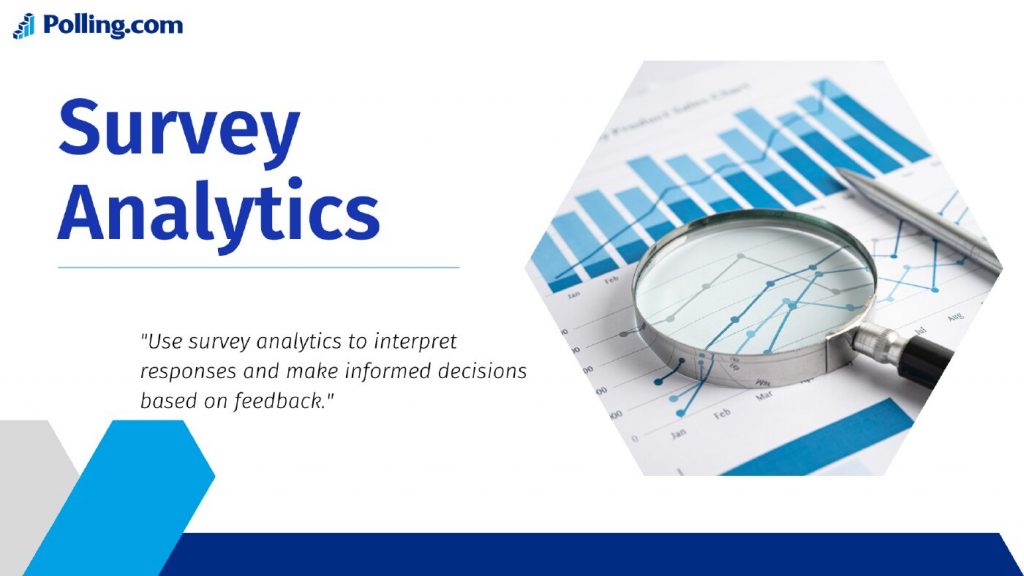
A high-quality enterprise survey platform should include strong analytics and reporting tools. These tools help teams review feedback quickly, identify trends, and share insights with decision-makers.
Important analytics features include:
- Real-time dashboards
- Custom reports
- Role-based reporting
- Filters by team, region, department, or audience
- Trend tracking over time
- Export options for deeper analysis
- Sentiment analysis for open-ended responses
For example, an HR leader may want to filter employee engagement results by department. Meanwhile, a customer experience manager may want to compare NPS scores by region or support channel.
Because each stakeholder needs different information, custom dashboards are very useful. They allow each team to focus on the data that matters most to their goals.
3. Security and Compliance
Security is one of the most important features of any enterprise survey platform. Since surveys can collect sensitive employee, customer, and business data, the platform must protect that information at every stage.
Enterprise-grade security features may include:
- Data encryption
- Single sign-on
- Identity and access management
- Role-based permissions
- Audit logs
- GDPR support
- CCPA support
- Secure data storage
- Permission-based sharing
These features help organizations reduce risk and stay compliant with privacy requirements. In addition, they give administrators more control over who can create surveys, view results, export data, or manage users.
For example, employee engagement results may contain sensitive comments about managers or workplace culture. Therefore, only approved users should have access to detailed responses.
4. Role-Based Access Control
Large organizations often have multiple teams using the same survey platform. Because of this, role-based access control is essential.
This feature allows administrators to assign different permissions based on a user’s role. For example, an admin may have full platform access, while a department manager may only see reports for their team.
Role-based access control helps with:
- Data privacy
- Internal governance
- Team organization
- Compliance requirements
- Report security
- Survey approval workflows
As a result, teams can collaborate without exposing sensitive information to the wrong users.
5. Survey Templates and Brand Consistency
Enterprise teams often run many surveys across departments. Therefore, templates are important for keeping surveys consistent and easy to launch.
A strong enterprise survey platform should offer reusable templates for:
- Employee engagement surveys
- Customer satisfaction surveys
- NPS surveys
- Onboarding surveys
- Exit surveys
- Product feedback surveys
- Market research surveys
- Event feedback surveys
In addition, branded templates help ensure that surveys match the company’s style, tone, and visual identity. This can include logos, colors, question formats, and standard intro messages.
Because templates save time, teams can launch surveys faster. At the same time, they help maintain quality across the organization.
6. Automation and Workflow Triggers
Automation is one of the biggest advantages of an enterprise survey platform. Instead of manually reviewing every response, teams can create workflows that trigger actions based on survey results.
For example, automation can:
- Send alerts after low satisfaction scores
- Create support tickets from negative feedback
- Notify HR after onboarding concerns
- Route responses to the right department
- Schedule follow-up surveys
- Sync results with other tools
- Send reminder emails to non-respondents
This helps teams respond faster and avoid missed feedback. For instance, if a customer gives a low NPS score, the platform can automatically alert the customer success team. Then, the team can follow up before the issue becomes worse.
Because automation reduces manual work, it also helps teams manage feedback at scale.
7. CRM, HR, and Support Tool Integrations
Survey data becomes more useful when it connects with the tools your teams already use. Therefore, integrations are a key feature of any enterprise survey platform.
Common integrations include:
- Salesforce
- HubSpot
- Zendesk
- Intercom
- Workday
- BambooHR
- Slack
- Microsoft Teams
- Google Sheets
- Business intelligence tools
For example, customer feedback can sync with a CRM so sales and customer success teams can see survey results inside customer profiles. Similarly, employee survey data can connect with HR systems to support better workforce analysis.
As a result, feedback becomes part of daily workflows instead of staying locked inside a survey dashboard.
8. Multi-Channel Survey Distribution
Different audiences prefer different communication channels. Because of this, an enterprise survey platform should support multiple distribution methods.
Useful survey distribution channels include:
- Website pop-ups
- In-app surveys
- SMS
- QR codes
- Embedded forms
- Customer support chats
- Employee portals
- Social media links
Multi-channel distribution helps organizations reach the right audience at the right time. For example, a product team may use in-app surveys to collect feedback while users are actively using a feature. Meanwhile, HR may use email surveys for employee engagement campaigns.
Because the survey experience fits the audience, response rates may improve.
9. Multilingual and Multi-Region Support
Global companies need survey tools that support multiple languages, regions, and cultural contexts. Therefore, multilingual support is important for enterprise survey programs.
A good platform should allow teams to:
- Create surveys in multiple languages
- Manage translations
- Segment results by region
- Support local privacy requirements
- Customize survey experiences by audience
- Compare results across markets
This is especially useful for international employee engagement surveys, global customer satisfaction programs, and market research campaigns.
Additionally, localized surveys can improve clarity. When respondents understand questions better, they are more likely to give accurate answers.
10. AI-Powered Text Analysis
Open-ended responses can provide valuable insights. However, they can also take a long time to review manually.
AI-powered text analysis helps teams review written feedback faster. It can identify common themes, detect sentiment, and group similar responses.
This feature can help teams understand:
- Common customer complaints
- Employee concerns
- Product improvement ideas
- Repeated support issues
- Positive feedback themes
- Emerging risks
For example, if many employees mention workload concerns, AI text analysis can help HR spot that pattern quickly. Then, leaders can investigate the issue before it affects retention.
Although human review is still important, AI can speed up the first layer of analysis.
11. Governance and Approval Workflows
Enterprise survey programs need consistency. Without governance, teams may create duplicate surveys, use unclear questions, or collect data without proper approval.
Governance features help prevent these problems.
Important governance tools include:
- Survey approval workflows
- Version history
- Shared templates
- Permission controls
- Brand review steps
- Compliance checks
- Centralized survey calendars
These features help organizations manage survey quality across teams. In addition, they reduce the risk of survey fatigue by making it easier to see which surveys are already planned or active.
12. Custom Dashboards for Different Teams
Different teams use survey data in different ways. Therefore, custom dashboards are a valuable enterprise feature.
For example:
- HR may track employee engagement and retention risks.
- Customer support may track satisfaction after tickets.
- Product teams may track feature feedback.
- Executives may track high-level trends.
- Marketing may track brand awareness and audience sentiment.
Because each dashboard can be customized, teams can avoid unnecessary data and focus on useful insights.
Custom dashboards also make reporting easier. Instead of building reports manually every time, leaders can view updated results in real time.
13. Real-Time Feedback Monitoring
In many cases, teams need to act on feedback quickly. Real-time monitoring helps organizations spot issues as soon as responses come in.
This is useful for:
- Customer complaints
- Employee concerns
- Product bugs
- Event feedback
- Service experience issues
- Brand reputation signals
For example, if several customers report the same issue after a product update, real-time monitoring can help teams respond before more users are affected.
As a result, organizations can move from slow reporting to faster action.
14. Flexible Question Types and Survey Logic
A strong enterprise survey platform should support advanced survey design. This helps teams collect more accurate and useful data.
Important survey design features include:
- Multiple-choice questions
- Rating scales
- Matrix questions
- Open-ended questions
- Ranking questions
- File upload questions
- Conditional logic
- Branching paths
- Question randomization
- Quota management
Conditional logic is especially useful because it creates a better respondent experience. For example, if a respondent says they have not used a feature, the survey can skip feature-specific questions.
Because respondents only see relevant questions, surveys feel shorter and more personalized.
15. Data Export and BI Tool Support
Some teams need to analyze survey data outside the platform. Therefore, export options and BI integrations are important.
The platform should support exports to:
- CSV
- Excel
- Google Sheets
- Power BI
- Tableau
- Looker
- Internal data warehouses
This allows analysts to combine survey results with other business data. For example, customer satisfaction scores can be compared with renewal rates, support ticket volume, or product usage data.
As a result, teams can uncover deeper insights and make better strategic decisions.
Enterprise Survey Platform Use Cases
An enterprise survey platform can support many departments. Below are common use cases across large organizations.
Employee Engagement and Feedback

HR teams use enterprise survey platforms to understand employee satisfaction, workplace culture, and retention risks.
Common survey types include:
- Employee engagement surveys
- Pulse surveys
- Onboarding surveys
- Exit surveys
- Manager feedback surveys
- Training feedback surveys
Because enterprise platforms offer filters and dashboards, HR teams can compare results by department, location, role, or manager group. As a result, they can identify trends early and take action before problems grow.
Customer Experience and NPS
Customer experience teams use surveys to measure satisfaction across the customer journey.
Common use cases include:
- NPS surveys
- CSAT surveys
- Post-purchase feedback
- Support ticket feedback
- Customer onboarding feedback
- Churn risk surveys
With integrations, teams can connect survey results to customer profiles. Therefore, feedback becomes easier to act on. For example, a low satisfaction score can trigger a customer success follow-up.
Product Feedback and Feature Validation
Product teams use survey platforms to understand customer needs and prioritize improvements.
Useful product survey types include:
- Feature feedback surveys
- Beta testing surveys
- Product satisfaction surveys
- Pricing research surveys
- Roadmap priority surveys
- Usability feedback surveys
Because results can be segmented by customer type, plan, region, or usage level, product teams can make better roadmap decisions.
Market Research and Brand Tracking
Marketing and research teams use enterprise survey platforms to study audiences, test ideas, and monitor brand perception.
Common examples include:
- Brand awareness surveys
- Market segmentation surveys
- Competitive research
- Ad testing
- Concept testing
- Audience preference surveys
These insights help companies understand what customers want, how they view the brand, and which messages are most effective.
How to Choose the Right Enterprise Survey Platform
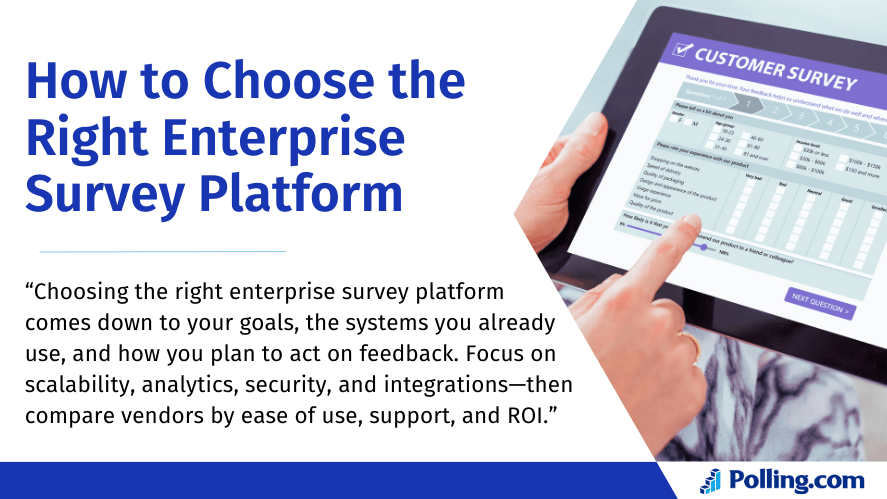
Choosing the right solution depends on your goals, team structure, and required capabilities. Here’s how to evaluate options.
Define Your Main Goals
First, clarify why you need the platform. For example, are you focused on employee engagement, customer feedback, product research, or all of these areas?
Ask these questions:
- Who will use the platform?
- What type of feedback do we need?
- How often will we run surveys?
- Who needs access to reports?
- What actions should happen after responses come in?
Once your goals are clear, it becomes easier to compare platforms.
Review Security and Compliance Needs
Next, review your privacy and compliance requirements. This is especially important if you collect employee data, customer information, or sensitive business feedback.
Look for features such as:
- SSO
- Encryption
- Audit logs
- Role-based access
- Data retention controls
- Compliance support
- Secure reporting
If your organization has strict data policies, involve your IT or security team early in the evaluation process.
Check Integration Options
Then, review which tools the platform can connect with. The best option should fit your existing workflows.
For example, if your team uses Salesforce, Zendesk, Workday, or Slack, confirm that the platform supports those integrations. Also, check whether integrations are native or require custom setup.
Strong integrations can save time and make survey data more useful across departments.
Compare Reporting and Analytics
Reporting needs vary by organization. Therefore, review how flexible the analytics features are.
Look for:
- Custom dashboards
- Real-time reports
- Segmentation tools
- Export options
- Trend analysis
- AI text analysis
- Role-based reports
If executives need high-level summaries while managers need detailed team results, make sure the platform supports both.
Understand Pricing and ROI
Enterprise survey platform pricing can vary widely. Some vendors charge by user, while others charge by response volume, feature access, or support level.
Before choosing a platform, consider:
- Admin licenses
- Response limits
- Integration costs
- Onboarding fees
- Support level
- Automation features
- Data storage needs
Although enterprise platforms may cost more than basic survey tools, they can provide strong ROI through time savings, better data quality, faster action, and improved decision-making.
Evaluate Support and Onboarding
Finally, review the vendor’s support and onboarding options. Enterprise teams often need help with setup, training, integrations, and governance.
Look for:
- Dedicated onboarding support
- Training resources
- Account management
- SLA-backed support
- Help documentation
- Implementation guidance
A strong support team can make the platform easier to adopt across departments.
Polling.com’s Enterprise Survey Platform Advantage
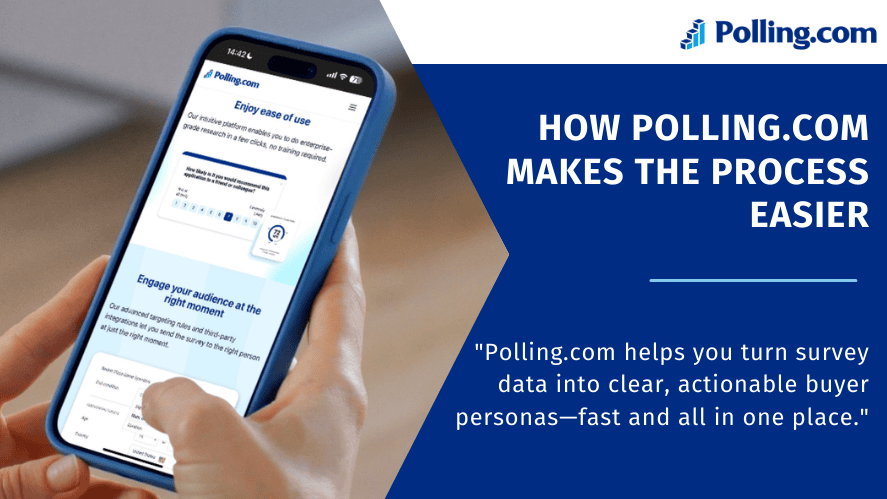
Polling.com provides a flexible enterprise survey platform designed for organizations that need scalable feedback collection, strong reporting, and easy-to-manage workflows.
Fast Deployment at Scale
Polling.com helps teams launch branded surveys across departments, regions, and audiences. Because the platform supports templates, permissions, and automation, organizations can move faster without losing control.
In addition, setup timelines can depend on integrations, user roles, and rollout size. However, the platform is built to support secure deployment for growing teams.
Unified Insights Across Teams
With Polling.com, teams can bring employee, customer, and market research feedback into one organized system. This gives leaders a clearer view of trends across the business.
As a result, organizations can reduce data silos and make decisions using shared insights.
Built-In Security and Compliance
Polling.com supports enterprise-grade controls such as encryption, permissions, audit trails, and identity management options. Therefore, teams can collect feedback while protecting sensitive data.
These features are especially useful for organizations that need strong internal governance and compliance support.
Seamless Integrations and Automation
Polling.com can connect survey data with important business tools. As a result, teams can automate alerts, follow-ups, reporting workflows, and response routing.
For example, customer feedback can move into support workflows, while employee feedback can help HR teams respond faster to workplace concerns.
Enterprise Survey Platform Pricing — What to Expect
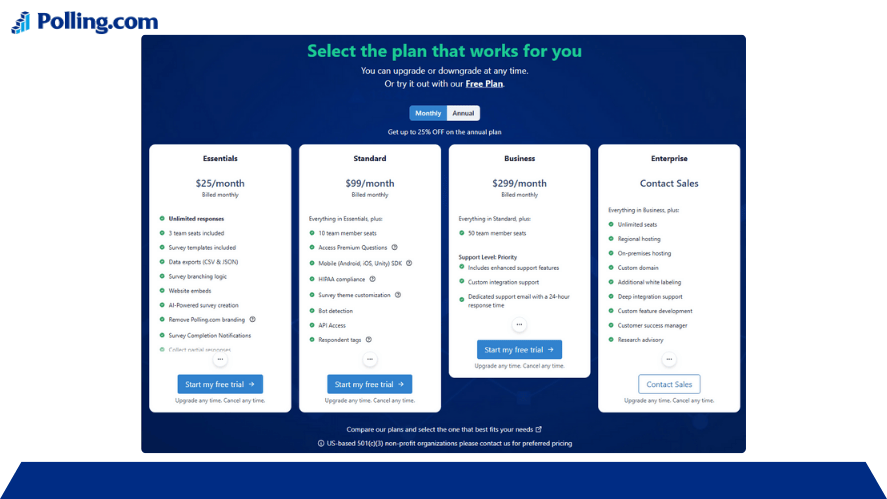
Enterprise pricing depends on features, response volume, integrations, support, and team size. Therefore, it is important to review both the subscription cost and the total cost of ownership.
Common pricing factors include:
- Number of users
- Number of survey responses
- Advanced analytics
- Automation features
- Integration requirements
- Onboarding support
- Security and compliance needs
Although free survey tools may look attractive, they often lack the governance, reporting, security, and workflow features needed by larger organizations. Therefore, enterprise platforms are usually a better long-term investment for teams that depend on feedback at scale.
FAQs
An enterprise survey platform is a survey system built for scale, security, reporting, collaboration, and workflow automation. It supports large teams, high response volumes, integrations, and advanced governance features.
Companies need an enterprise survey platform to collect feedback consistently across teams, protect sensitive data, automate follow-ups, and turn responses into useful business insights.
Yes. Small teams can use enterprise survey platforms, especially if they need advanced analytics, stronger security, integrations, or room to scale. However, they should compare costs and features carefully before choosing a plan.
Look for scalability, security, role-based permissions, real-time dashboards, automation, integrations, survey templates, multilingual support, and strong reporting tools.
Setup time depends on the size of the organization, number of users, integrations, and data requirements. Some teams can start quickly, while larger deployments may need more planning and onboarding.
Yes. Most enterprise survey platforms support both customer and employee surveys. They can also support product research, market research, event feedback, and brand tracking.
Yes. Integrations are important because they help survey data connect with CRM, HR, support, and business intelligence tools. As a result, teams can act on feedback faster.
Conclusion
An effective enterprise survey platform helps organizations collect better feedback, protect sensitive data, and act on insights faster. In 2026, businesses need more than simple survey forms. They need scalable tools that support analytics, automation, integrations, and strong governance.
From employee engagement to customer experience and product research, enterprise survey platforms help teams understand what people think, feel, and need. More importantly, they help organizations turn feedback into clear action.
Polling.com gives enterprise teams a flexible way to manage surveys at scale while keeping workflows simple and insights easy to use.
Ready to improve feedback collection across your organization? Explore Polling.com’s enterprise survey platform to see how advanced survey workflows, real-time dashboards, automation, and team-ready reporting can help your business turn feedback into smarter decisions.