
Survey API Integration: A Complete Guide

A survey API integration connects survey software with other systems through APIs, allowing data to move automatically between platforms.
This removes the need for manual exports, file uploads, or spreadsheet-based processing.
Instead of collecting feedback and reviewing it later, teams can capture and act on responses in real time.
Survey data can update a CRM, trigger internal alerts, or feed analytics dashboards the moment a response is submitted.
This shift reflects a broader move toward API-driven workflows. As organizations scale, manual processes slow execution and introduce errors.
Modern teams expect survey tools for business to integrate directly into their operational systems and automation pipelines.
For this reason, flexible API connectivity has become a core requirement for modern survey API integrations software.
Strong survey APIs allow teams to embed surveys into products, automate feedback loops, and design workflows that align with real business processes.
What Is Survey API Integration?
Survey API integration refers to connecting a survey platform with other applications using application programming interfaces.
These interfaces enable surveys and responses to be managed programmatically, without manual interaction.
A typical survey API includes several components.
Authentication controls access to survey data, usually through API keys or OAuth. Endpoints support core actions such as creating surveys, submitting responses, and retrieving results.
Many customer feedback platforms also provide webhooks to send real-time notifications when events occur, such as a new response submission.
These capabilities support practical, production-level use cases.
For example, analytical surveys can be embedded into websites, mobile apps, or SaaS products. Responses can flow directly into CRMs, analytics tools, or customer feedback systems.
APIs also enable conditional logic, such as triggering surveys based on user behavior or routing feedback based on scores.
Overall, survey integration transforms surveys from standalone tools into a connected survey API integrations tool that supports automation, analytics, and faster decision-making across teams.
Key Benefits of Survey API Integration
Survey API integration transforms surveys from isolated data sources into real-time inputs. They power automation, analytics, and smarter business decisions.
Real‑Time Data Collection and Analysis
With an API-driven setup, survey responses are captured and processed the moment they’re submitted.
Because of this, teams no longer have to wait for weekly exports or manual reports to understand customer sentiment.
This immediate access to data enables faster insights and quicker responses to issues. It also allows more confident decision-making.
By removing manual exporting and syncing, businesses ensure that dashboards, reports, and alerts always reflect the latest feedback.
Automation Across Platforms
Survey API integrations make it easy to connect feedback with the tools teams already use.
Responses can sync automatically with CRMs, analytics platforms, customer support systems, and marketing tools.
This cross-platform automation reduces manual work and eliminates handoffs between teams. It ensures survey data flows seamlessly across the organization without human intervention.
Highly Customizable Workflows
APIs allow surveys to be triggered by real events instead of fixed schedules.
Businesses can launch surveys based on user behavior, transactional milestones, or lifecycle events, such as a completed purchase or a closed support ticket.
This flexibility makes it possible to tailor surveys to specific customer journeys. It delivers more relevant questions and higher-quality responses.
Consistency and Accuracy
Manual data handling often introduces errors, from mismatched fields to missing entries.
On the other hand, automated survey pipelines ensure that data is collected, transferred, and stored in a consistent format every time.
By removing manual entry points, survey API integration improves data accuracy and reliability.
It creates a stronger foundation for analytics, reporting, and long-term customer feedback management.
How Survey API Integration Works
Survey API integration relies on standardized communication between a survey platform and other systems. It allows data to move automatically, securely, and at scale.
API Communication Basics
Survey API integration begins with establishing a communication method between systems.
Most platforms use REST APIs, which rely on standard HTTP requests to send and receive survey data in a predictable format.
Some platforms also support GraphQL. It allows teams to request only the data they need when flexibility or performance is a priority.
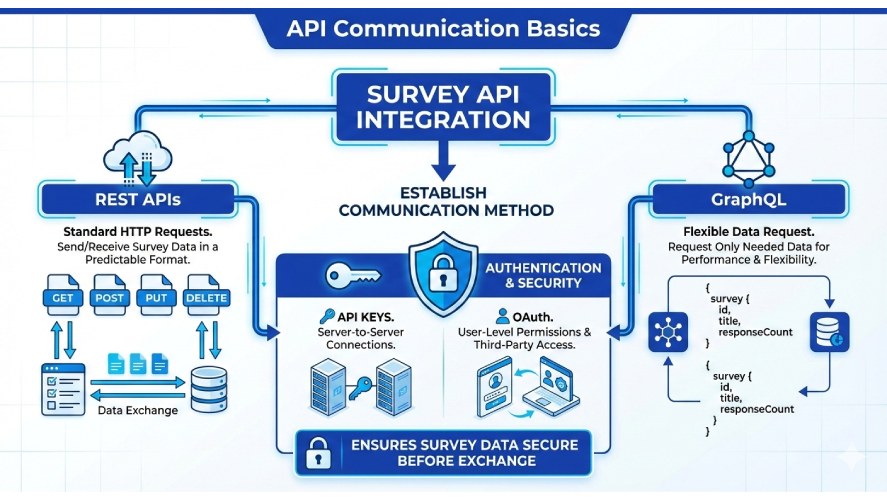
Authentication is handled at this stage to control access.
API keys are commonly used for server-to-server connections, while OAuth is applied when user-level permissions or third-party access are required.
This ensures survey data remains secure before any data exchange occurs.
Core API Operations
Once communication is established, APIs handle the core survey operations.
Teams can create surveys programmatically, enabling dynamic generation based on campaigns, user segments, or in-product events.
As users submit responses, the API captures this data directly. It supports embedded surveys and in-app feedback flows.
The same API connection is then used to retrieve responses and metadata. It allows survey data to be pulled into analytics tools, dashboards, or internal systems for further processing.
Error Handling and Webhooks
To keep integrations reliable, APIs return structured status codes and error messages when issues occur.
These responses help systems detect problems such as authentication failures, invalid requests, or rate limits. They allow failed actions to be retried without data loss.
Webhooks extend this reliability by enabling real-time updates.
Instead of repeatedly checking for new responses, connected systems receive instant notifications when events occur.
This approach reduces overhead, improves responsiveness, and keeps automated workflows synchronized with live survey activity.
Common Use Cases for Survey API Integration
API survey integration is most useful when feedback needs to move quickly from collection to action.
Instead of treating surveys as static reports, APIs allow responses to trigger workflows, update systems, and inform decisions in real time.
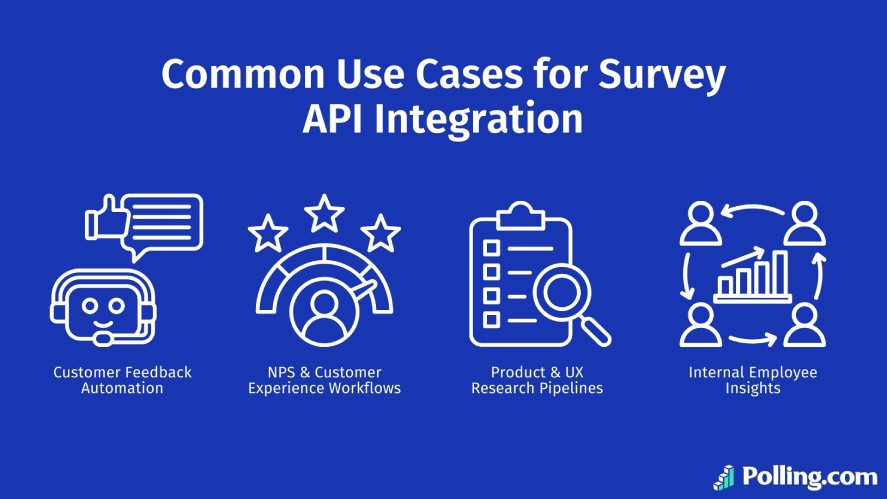
Customer Feedback Automation
A common use case is collecting feedback after key customer interactions, including a market survey for new business validation.
Surveys can be triggered automatically after a purchase, delivery, or support ticket resolution.
Responses flow directly into CRMs or support tools, helping teams spot issues and follow up faster. This ensures feedback is captured while the experience is still fresh.
NPS & Customer Experience Workflows
Survey APIs are often used to support NPS and customer experience programs.
Responses sync automatically with survey analytics and customer feedback management tools, loyalty platforms, or churn models.
Promoters can enter referral or rewards flows, while detractors trigger alerts or recovery actions. This turns NPS into an active part of retention efforts.
Product & UX Research Pipelines
Product and UX teams use survey APIs to run ongoing research.
Surveys can be embedded inside products or triggered by user behavior, such as feature usage or onboarding steps.
Responses feed into analytics or research tools, where they can be reviewed alongside product data. This makes insights easier to act on without manual exports.
Internal Employee Insights
Survey API integration is also used for internal feedback by many of the best survey tools for small businesses.
HR teams connect surveys with HR systems to track engagement, onboarding, or workplace satisfaction.
Responses update dashboards automatically and can trigger follow-ups when needed. This keeps employee insights timely and consistent without extra admin work.
Choosing the Right Survey API
Picking the right survey API integration platform can make the difference between a seamless automated workflow and a maintenance headache.
Choosing Based on Business Goals
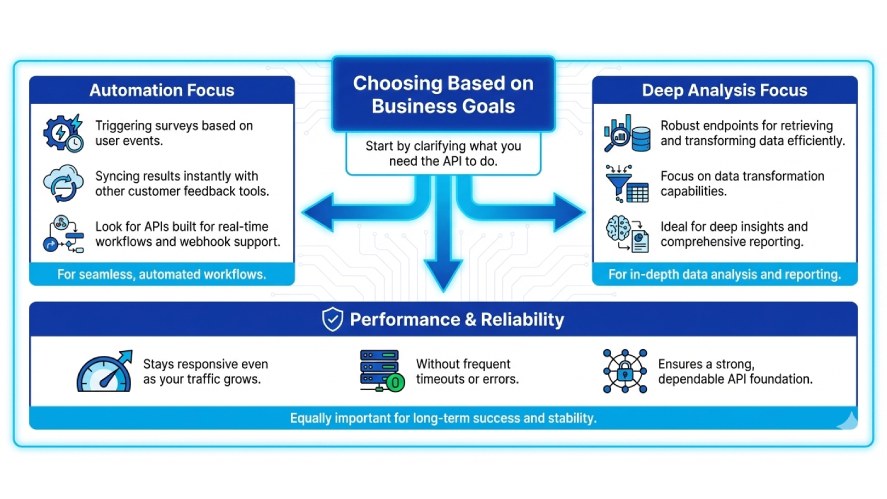
Start by clarifying what you need the API to do.
If your focus is on automation, like triggering surveys based on user events and syncing results instantly with other customer feedback tools, then look for APIs built for real-time workflows and webhook support.
If your priority is deep analysis, you’ll want robust endpoints for retrieving and transforming data efficiently.
Equally important are performance and reliability.
A strong API should stay responsive even as your traffic grows, without frequent timeouts or errors.
Developer‑Friendly API Features
APIs that are easy for developers to work with accelerate adoption and reduce implementation risk.
Good indicators include:
- SDK Availability: Prebuilt libraries that simplify coding in popular languages.
- Detailed Documentation: Clear examples, endpoint descriptions, and best practices that cut down on guesswork.
- Sandbox and Test Modes: Safe environments where developers can experiment without affecting production data.
These features not only speed development but also help ensure your integration is maintainable over time.
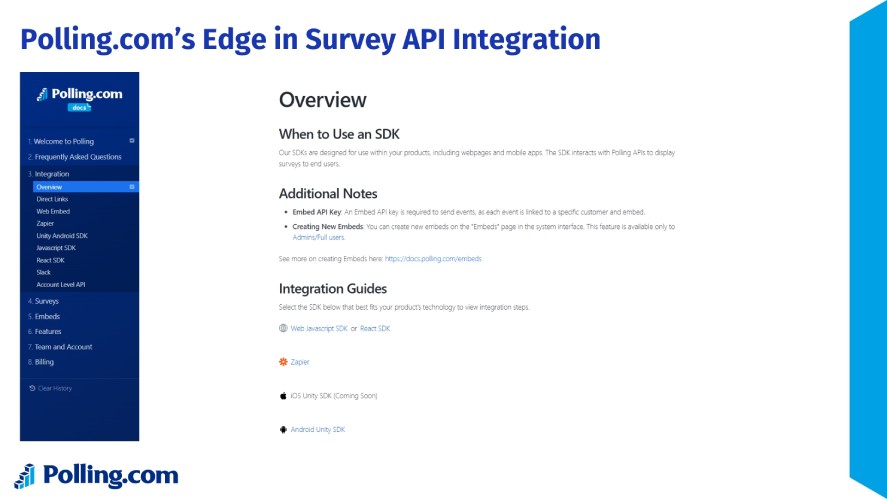
Polling.com’s Edge in Survey API Integration
Polling.com stands out as a survey API integration platform designed for both ease of use and deep flexibility. It offers:
- Easy onboarding and rich developer docs
- Scalable API endpoints and built-in workflows
- Broad integration capabilities that work across analytics tools, CRM systems, support user feedback platforms, and automation stacks
Compared with other leading tools like Qualtrics or SurveyMonkey, Polling.com combines enterprise-grade API power with developer-friendly simplicity.
While larger platforms offer robust survey features, Polling.com’s API focuses on flexibility and performance.
This makes survey-driven automation accessible to teams of all sizes. It’s a strong fit for modern workflows where data needs to move fast and integrate deeply.
Best Practices for Implementing Survey API Integration
Following a few proven best practices helps ensure your survey data API integrations stay reliable over time.
Design for Security and Permissions
Security should be built into your integration from day one.
Use token rotation to regularly refresh API credentials and reduce the risk of long-term exposure.
Also, apply least privilege access. This method grants each token or service only the permissions it actually needs.
This minimizes damage if credentials are compromised and keeps sensitive survey data protected across systems.
Versioning and Backwards Compatibility
APIs evolve, and your integration should be ready for that.
Choose survey APIs that support clear versioning, so updates don’t unexpectedly break existing workflows.
When building your integration, plan for future changes by isolating API logic and monitoring deprecation notices.
This approach makes upgrades predictable instead of disruptive.
Monitoring and Logs
Visibility is key to long-term reliability. Track API calls, response times, and error rates to spot issues early.
Detailed logs help teams diagnose failures quickly, while automated alerts on anomalies ensure problems are addressed before they impact data collection or downstream workflows.
Troubleshooting Common API Integration Challenges
Even with a well-planned survey API integration, technical issues can surface during implementation or as systems scale.
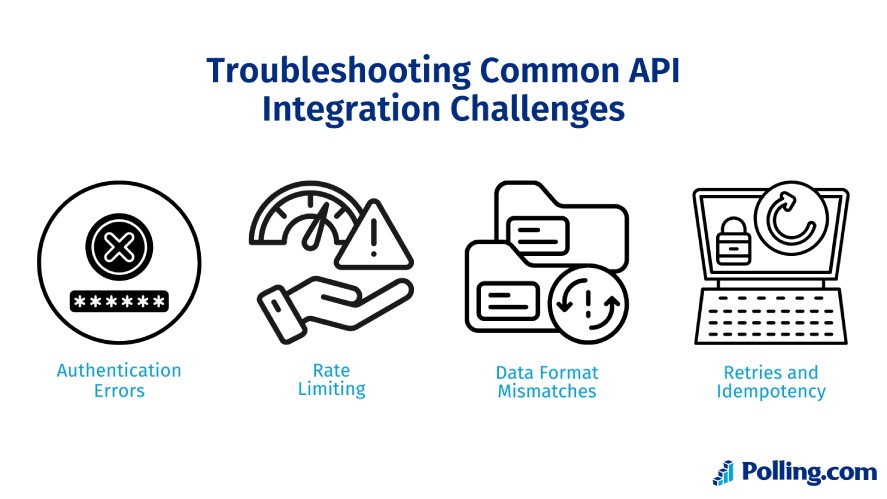
One of the most common problems is authentication failure.
This is usually caused by expired API keys, incorrect permission scopes, or misconfigured OAuth flows.
These issues are typically resolved by rotating credentials regularly, validating access tokens, and limiting permissions to only what the integration requires.
Rate limiting is another frequent challenge.
Most survey API platforms restrict how many requests can be made within a set time window. When limits are exceeded, requests may slow down or fail entirely.
Designing integrations with throttling, batching, or queue-based processing helps avoid these disruptions. Reviewing rate limit documentation early also prevents surprises in production.
Data format mismatches can disrupt integrations as well.
This is especially common with complex survey questions for business, like multi-select responses or rating scales.
Problems occur when downstream systems expect a different structure than the survey API provides.
Lastly, retries and idempotency are essential for long-term reliability.
Network interruptions and temporary outages are unavoidable. Integrations should retry failed requests safely and use idempotent operations where supported.
This prevents duplicate survey responses or records and keeps data accurate over time.
Real‑World Examples and Case Studies
Survey API integration is easier to understand when applied to real scenarios.
E-Commerce Brand Automation (Hypothetical)
An online retailer connects a post-purchase survey API to its order system. Once an order is marked as delivered, a survey is sent automatically.
Responses stream into an analytics dashboard in real time. It allows the team to detect satisfaction drops linked to shipping delays.
SaaS Platform NPS Integration
A SaaS company integrates its NPS survey API with a customer success platform.
Later on, low scores trigger alerts and feed directly into churn prediction models. Account managers can respond early, improving retention and long-term customer value.
Conclusion
Survey API integration turns surveys from static reports into real-time decision tools.
Automated data flows reduce manual effort, improve accuracy, and enable faster responses across teams.
When supported by proper security, monitoring, and error handling, API-driven surveys become a long-term strategic asset.
If you’re ready to move beyond disconnected systems, explore Polling.com’s API and developer resources to start building smarter, automated feedback workflows.