
6 Best Live Polling Tools for Audience Engagement in 2026

Live polling tools make it easier to turn a one-way presentation or discussion into an active conversation.
Instead of asking people to raise their hands or wait until the end for feedback, presenters can ask a question and see responses as they come in.
This makes live polling useful for meetings, conferences, webinars, classrooms, employee events, and customer feedback sessions.
The best live polling services can differ widely in how they handle audience participation and results.
When comparing live polling tools, it helps to look at ease of use, real-time results, audience capacity, integrations, analytics, and cost.
Some platforms focus mainly on presentation engagement, while others combine live polls with broader survey and feedback features.
This guide compares six leading live polling tools in 2026, beginning with Polling.com.
The goal is to help you find the right option based on how you plan to engage your audience, rather than simply choosing the tool with the longest feature list.
What Are Live Polling Tools?
Live polling tools are software platforms that let presenters ask questions, collect audience responses, and review the results during an ongoing interaction.
They can be used for anything from a quick multiple-choice question during a presentation to a live knowledge check in a classroom or a feedback question during a company meeting.
The basic idea is simple: ask, collect, and respond while everyone is still engaged in the conversation.
This immediate feedback can help a presenter adjust the discussion, identify areas of confusion, or use audience opinions to guide what happens next.
How Live Polling Works
Although features vary between platforms, most live polling follows a similar process.
First, the presenter creates a poll and chooses the question format.
This might be a multiple-choice question, rating scale, word cloud, open-ended question, or another interactive format.
The presenter then shares a way for the audience to join real time survey, such as a link, QR code, or participation code.
Participants open the poll on a phone, tablet, or computer and submit their answers. The platform collects those responses as they arrive and updates the results.
Depending on the tool and the presenter’s settings, the results can then be shown on the presentation screen or reviewed privately by the presenter.
This process removes much of the friction from using a live polling app for audience feedback.
People do not need to wait for a separate survey after the event, while presenters can use the responses immediately to keep the discussion relevant.
Live Polling vs Traditional Online Surveys
The main difference between live polling and traditional online surveys is when and how the feedback is collected.
Live polling is designed for immediate interaction.
A presenter asks a question, participants respond during the session, and the results can influence the conversation that is happening at that moment.
Traditional live surveys are usually more flexible for longer or more detailed data collection.
Respondents may complete them on their own time, and the survey can include multiple sections, detailed questions, or follow-ups that would be difficult to fit into a live presentation.
That does not mean you have to choose between the two.
A live poll can capture an immediate reaction, while a more detailed survey can be used afterward to explore the reasons behind those responses.
This is where platforms such as Polling.com can extend beyond simple event voting.
In addition to live audience interaction, Polling.com supports broader survey and feedback workflows, including anonymous survey options, QR code sharing, results controls, reporting features, and integrations.
So, if you need a quick question during a presentation, a dedicated presentation polling tool may be enough.
If you want to turn that interaction into a larger feedback or research process, a broader survey platform may offer more room to grow.
What to Look for in the Best Live Polling Tools
When deciding how to choose a live polling tool, focus on how well each platform handles the live experience, what it can do with the responses, and whether it fits your budget and future needs.
Audience Experience
Start with the features that affect participation during the event:
- Ease of setup: Creating and launching a poll should take only a few steps.
- Real-time results: Responses should appear quickly enough to support the live discussion.
- Audience limits: Check how many people can participate, especially for conferences or large events.
- Question formats: Look for the formats you need, such as multiple choice, rating scales, open-ended questions, rankings, or word clouds.
- Mobile usability: Participants should be able to respond easily from phones or tablets.
- QR codes and links: Simple joining options can reduce friction when an audience is responding on their own devices.
- Anonymous responses: Anonymous participation can encourage more honest answers for sensitive topics.
Features for Presenters and Businesses
The next step is to consider what you can do with the polls and responses:
- Branding and customization: Useful for customer-facing events and branded presentations.
- Integrations: Check compatibility with presentation software, video meeting platforms, websites, and other tools you already use.
- Reporting and analytics: Look beyond live results if you need to review responses and identify trends after the event.
- Data export: Export options such as CSV or JSON can make it easier to analyze responses elsewhere.
Cost and Long-Term Use
Finally, look at the limits that may not be obvious when you first try a platform.
- Free-plan restrictions: Check limits on participants, responses, questions, exports, branding, and other features.
- Scalability: Make sure the platform can handle larger audiences or more advanced feedback needs as your use grows.
These criteria also help distinguish dedicated presentation polling tools from broader survey platforms.
Best Live Polling Tools in 2026
The best live polling tool depends on what you need during and after an event. The table below provides a quick comparison of six popular options.
| Tool | Best For | Real-Time Feedback | Free Option | Key Advantage |
|---|---|---|---|---|
| Polling.com | Businesses and scalable feedback | Yes | Yes | Unlimited surveys and responses plus broader survey capabilities |
| Slido | Meetings and Q&A | Yes | Up to 100 participants and 3 polls per event | Q&A and meeting integrations |
| Mentimeter | Interactive presentations | Yes | 50 participants per month | Visual presentations and poll formats |
| Poll Everywhere | Education and presentations | Yes | 40 participants per poll | Slide and education workflows |
| Vevox | Meetings and employee engagement | Yes | Yes | Live Q&A and polling |
| AhaSlides | Interactive presentations | Yes | Up to 50 participants per presentation | Presentation-focused engagement |
Note: Plan limits and product features can change, so check each provider’s current pricing and documentation before making a purchasing decision.
1. Polling.com — Best Overall Live Polling and Feedback Tool
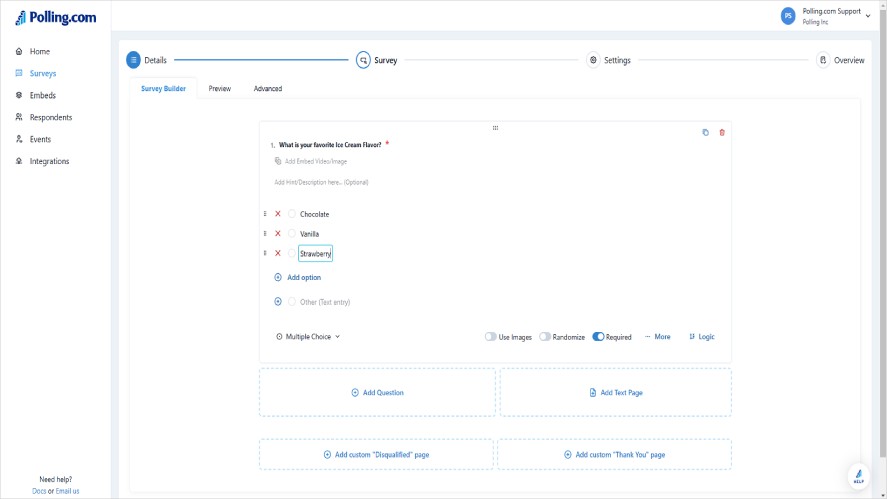
Polling.com is a strong choice for businesses that want a polling app alongside broader survey and feedback capabilities.
It works for quick audience questions while also supporting more structured data collection as needs grow.
Key features:
- Unlimited surveys and responses, including on the free plan
- Multiple question formats
- Real-time feedback
- QR-code sharing
- Anonymous survey options
- Results-sharing controls
- Website embeds
- Branching logic
- CSV and JSON exports
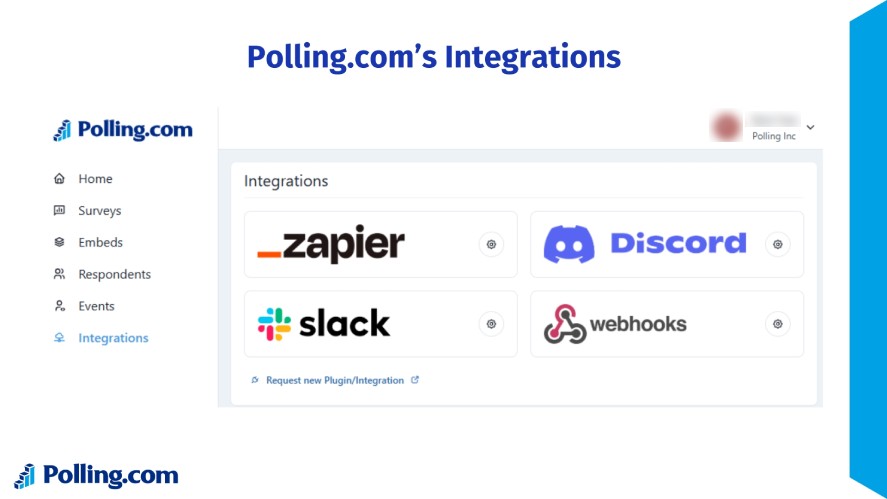
- Webhooks and integrations
- Analytics and reporting
- Advanced survey and research capabilities
Many dedicated live polling tools focus mainly on presentation-time interaction.
Polling.com offers a broader workflow, making it useful when organizations want to collect immediate feedback and continue analyzing or building on that data afterward.
2. Slido — Best for Live Q&A and Corporate Meetings
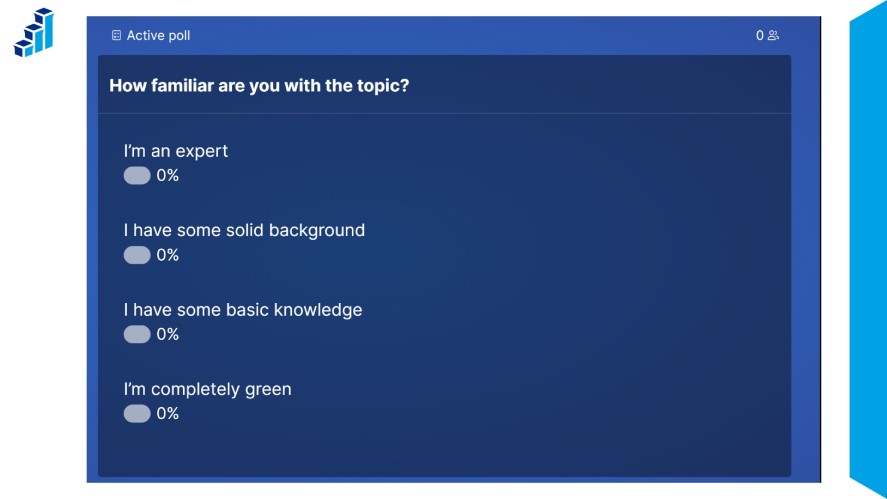
Slido combines live polling with audience live Q&A, making it particularly useful when questions and discussion are a central part of a meeting or presentation.
It also supports quizzes and word clouds for more varied audience interaction.
Key features:
- Live polls
- Audience Q&A
- Quizzes
- Word clouds
- Anonymous questions
- PowerPoint, Webex, Google Slides, Teams, and Zoom integrations
These features make Slido a good fit for meetings, town halls, training sessions, and presentations where presenters need to collect questions and feedback while keeping the audience involved.
3. Mentimeter — Best for Interactive Presentations
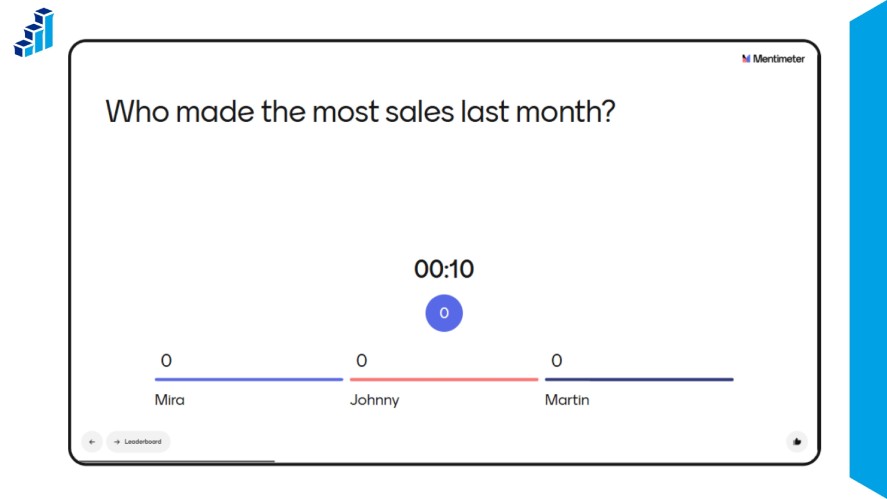
Mentimeter is built around visual audience engagement, with live polling for presentations and interactive formats that help presenters turn a one-way presentation into a more active discussion.
Participants can respond from phones, tablets, or laptops without installing an app.
Key features:
- Live polling
- Multiple-choice questions
- Scales
- Open-ended questions
- Word clouds
- Quizzes
- Real-time visualization
- Browser and device participation
Mentimeter is especially well suited to interactive presentations, workshops, training sessions, and classrooms, where visual results and varied question types can help keep participants engaged.
4. Poll Everywhere — Best for Education and Slide-Based Polling
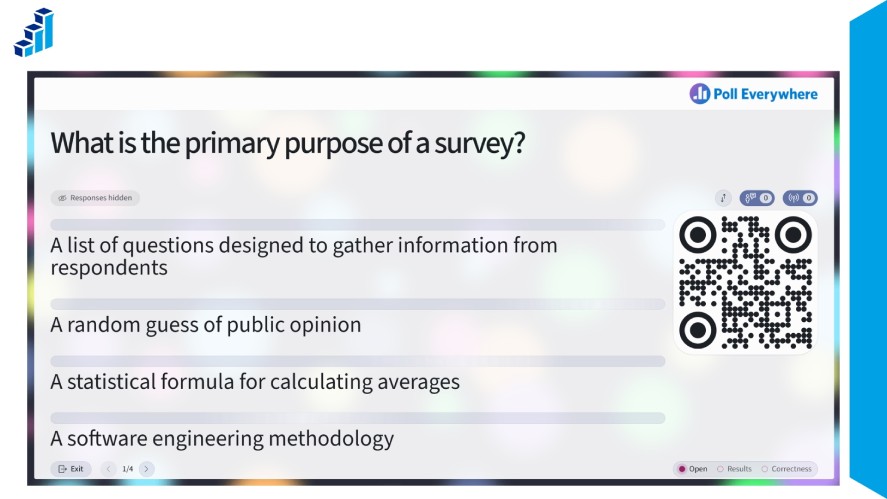
Poll Everywhere is designed around presentation-based audience participation, with strong support for education and higher-education use cases.
It can be used directly with presentation tools, making it convenient for instructors and presenters who want to add polls without switching between platforms.
Key features:
- Live polls
- PowerPoint integration
- Keynote integration
- Google Slides integration
- Learning management system (LMS) support
Its presentation integrations make Poll Everywhere a good fit for classrooms, higher-education settings, lectures, and slide-based presentations.
5. Vevox — Best for Employee Meetings and Internal Engagement
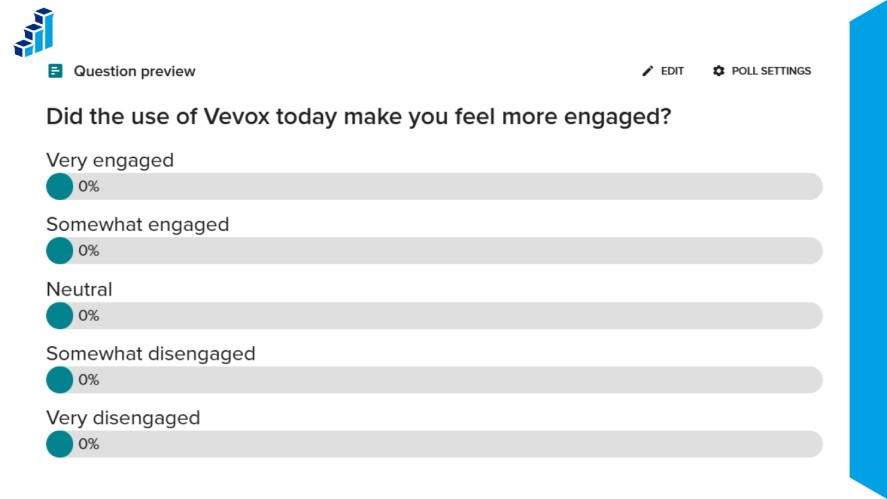
Vevox combines live polling and audience Q&A with features designed for workplace communication.
Anonymous participation can also give employees a more comfortable way to share opinions or ask questions during internal events.
Key features:
- Live polls
- Live Q&A
- Anonymous participation
- Employee engagement tools
Vevox is particularly suited to employee meetings, town halls, training sessions, and corporate events where participation and open communication are important.
6. AhaSlides — Best for Gamified Presentations
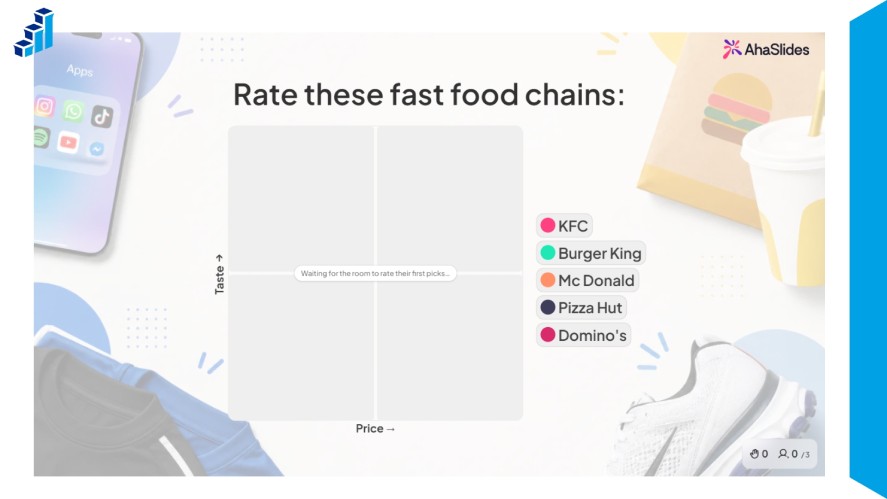
AhaSlides focuses on interactive presentations, combining interactive polls with quizzes and other activities to make sessions more engaging.
Its presentation-first approach can work well for presenters who want to add games and audience interaction without building a separate event experience.
Key features:
- Interactive presentations
- Live polls
- Quizzes
- Real-time results
- Audience participation
AhaSlides is a good option for gamified presentations, workshops, classrooms, and budget-conscious presenters who want several interactive features in one platform.
Comparing the Best Live Polling Services by Use Case
The best live polling service depends on where and how you plan to use it.
A business collecting customer feedback may need different features from a teacher running a classroom quiz or a presenter hosting a large conference.
The comparisons below focus on the needs that matter most for each use case.
Best Live Polling Tools for Business
Polling.com is a strong choice for businesses that want to use live feedback as part of a broader survey and research workflow.
Organizations can collect immediate responses during meetings or events. Then, use the data for customer feedback, employee surveys, product research, or other projects.
This makes it a better fit for teams that want their polling activity to extend beyond a single presentation.
Best Live Polling Tools for Meetings and Town Halls
For meetings and town halls, the right choice depends on what you want to get from the audience.
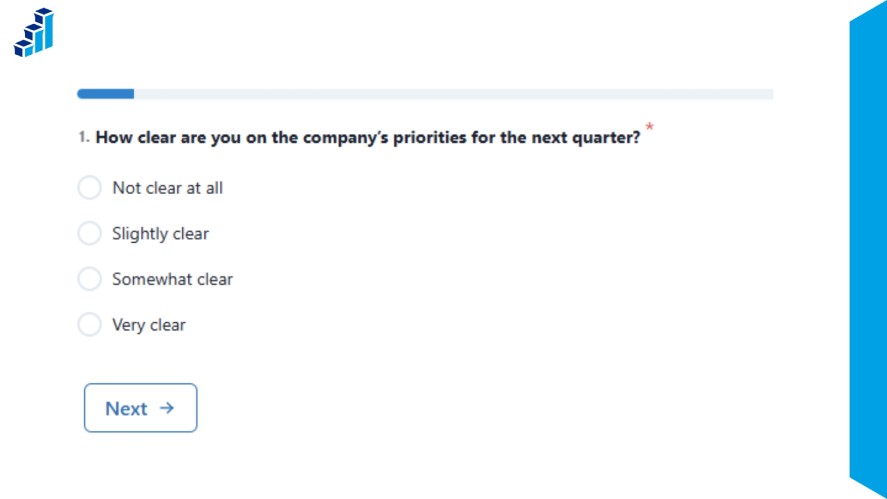
Polling.com is a good option for a live survey for meetings when collecting feedback and building longer-term insights is the priority.
Slido and Vevox are worth considering when moderated Q&A is more important.
Both combine live polling with live questions, making them useful when presenters want to collect questions and opinions during the same session.
Best Live Polling Tools for Conferences and Events
Large events require more than a basic audience polling app.
Look for easy QR-code access, suitable audience capacity, anonymous participation, and results that update quickly enough to keep the session moving.
Polling.com supports QR-code sharing and anonymous survey options, while dedicated audience engagement platforms such as Slido, Mentimeter, and Vevox also offer tools designed for live participation.
The best option depends on your expected audience size and the specific limits of each plan.
Best Live Polling Tools for Classrooms
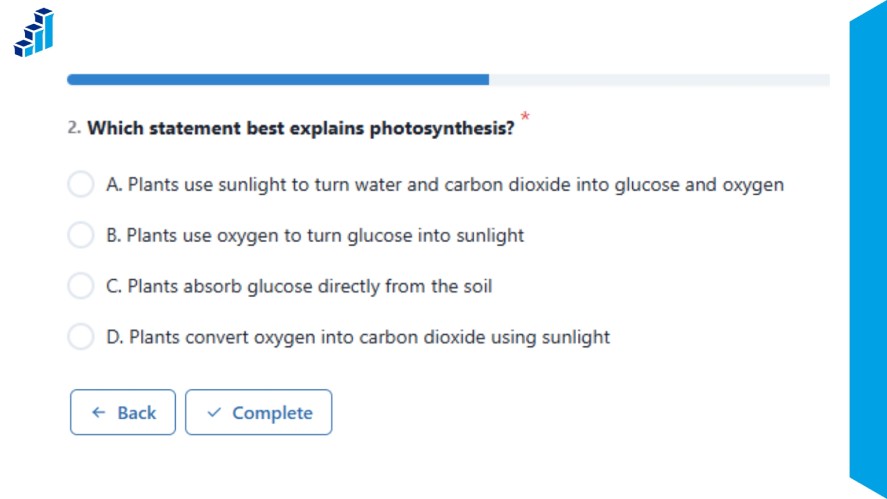
Teachers and instructors often need a mix of a live poll for classroom use, quizzes, visual responses, and easy participation from student devices.
Mentimeter and Poll Everywhere are strong choices for classroom and education-focused use, particularly when interactive questions are built directly into a presentation.
Polling.com can also work well when the goal goes beyond a quick knowledge check.
Its broader survey capabilities make it useful for structured student feedback, course evaluations, and other research-oriented activities.
Best Free Live Polling Tools
Polling.com stands out as a strong online polling free option because all its plans, including the free plan, provide unlimited surveys, survey responses, and questions.
That gives users room to create and run polls without the response and question limits found on some free tiers.
For anyone looking for free polling software or a free live polling tool, this makes Polling.com a practical starting point.
As always, check the current plan details before choosing a platform, since free-plan features and limits can change.
How to Choose the Right Live Polling Tool
The right real time survey tool depends on more than the type of poll you want to create.
Here’s how to choose the right tool for your needs.
Start With Your Audience Size
Start by estimating how many people will participate in each live poll.
A small team meeting may work comfortably with a free plan, while a conference or company-wide event may require a higher audience limit.
Check both the free-plan respondent limit and the maximum audience size available on paid plans.
If your audience is likely to grow, choose a platform that can scale without forcing you to change free polling tools later.
Decide Whether You Need Polling or Deeper Research
Next, think about what you want to do with the responses after the interactive poll ends.
A presenter who only needs a quick word cloud or multiple-choice question has different requirements from a business collecting customer or employee feedback.
For more advanced needs, look for features such as response segmentation, data exports, analytics, integrations, branching, and tools for continuing research.
This is one area where Polling.com can offer more than a presentation-focused polling tool, as it supports both immediate feedback and broader survey workflows.
Check Integrations and Sharing Options
Your free online polling tool should fit naturally into the way you already run meetings, presentations, or research.
Look for simple sharing options such as links and QR codes, as well as website embeds when you want to collect responses outside a live presentation.
For more advanced workflows, check support for presentation software, APIs, webhooks, and third-party integrations.
These options can help connect polling data with other tools instead of leaving responses isolated within the polling platform.
Compare Free Plans Carefully
A live survey tool being labeled free does not mean all of its useful features are available at no cost.
Free plans can differ significantly in response limits, number of polls, question types, exports, analytics, branding, and other restrictions.
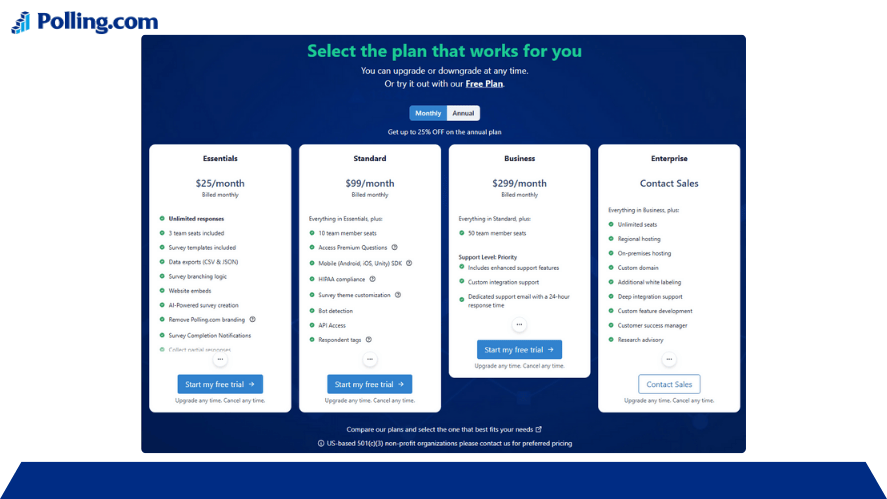
Before choosing a free polling tool, compare the features you actually need rather than looking only at the starting price.
This can help you avoid switching platforms later when your audience or data requirements increase.
Benefits of Using Live Polling Tools
Live polling can make an event more interactive while giving presenters useful feedback at the same time.
Instead of relying on a few people to speak up, everyone can have a chance to respond.
- Increased audience participation: Simple polls give attendees an easy way to take part.
- Immediate feedback: Presenters can see responses while the discussion is still happening.
- More inclusive participation: People who are less comfortable speaking publicly can still share their opinions.
- Faster knowledge checks: Teachers and trainers can quickly see whether participants understand a topic.
- Data-driven discussions: Live responses can reveal opinions, preferences, or areas that need more discussion.
- Better event engagement: Questions and polls can break up long presentations and keep audiences involved.
- Faster decision-making: Teams can use live feedback to compare options and make decisions during a meeting.
Together, these benefits make live polling a practical way to turn passive audiences into active participants while collecting useful feedback.
Best Practices for Running a Successful Live Poll
A live poll works best when the audience can understand and answer it without interrupting the flow of the session.
A few simple practices can make responses easier to collect and more useful.
Keep Questions Short
Write questions that participants can understand at a glance.
Long or complicated wording can slow down responses and make people less certain about what you are asking.
Use One Objective per Question
Each poll should have a clear purpose.
Avoid combining multiple ideas into one question, as participants may not know which part they are supposed to answer.
Avoid Leading Questions
Use neutral wording that does not push participants toward a particular response.
This is especially important when the results will influence a business decision or research project.
Test Polls Before Going Live
Run through each poll before the event starts.
Check the question wording, answer options, links, QR codes, and result display so technical issues do not interrupt the session.
Give Participants Enough Response Time
Do not close a poll as soon as the first responses arrive.
Give everyone enough time to read the question, access the poll, and submit an answer.
Use Anonymous Polling for Sensitive Topics
Anonymous responses can make participants more comfortable sharing opinions about workplace issues, customer experiences, or other sensitive subjects.
Don’t Overwhelm Audiences With Too Many Polls
Polling should support the session rather than become the session.
Use questions when the answers add value, and leave enough time to discuss the results.
Explain How Results Will Be Used
Let participants know what will happen with their responses.
For example, explain whether the results will guide a discussion, inform a decision, or be used for further research.
Follow Up With Deeper Surveys When Necessary
A live poll is useful for getting a quick reaction, but it may not explain why people responded a certain way.
When you need more detail, follow up with a longer survey that allows participants to provide additional context.
Frequently Asked Questions About Live Polling Tools
Polling.com is a strong choice for businesses that want live feedback alongside broader survey and research features. Other options include Slido for Q&A-focused meetings, Mentimeter for interactive presentations, Poll Everywhere for education, Vevox for employee engagement, and AhaSlides for gamified presentations.
Polling.com is a strong free option because its free plan includes unlimited surveys, responses, and questions. However, compare the features and restrictions of each free plan before choosing a tool.
Yes, several platforms offer live polling free through plans that let you create and run polls. The available question types, audience size, responses, analytics, exports, and other features can vary by platform.
Tools such as Polling.com, Slido, Mentimeter, Poll Everywhere, Vevox, and AhaSlides can support live audience participation. For a large event, check the platform’s current audience limits and paid-plan requirements before choosing one.
Yes, several live polling tools support anonymous participation or anonymous questions. This can be useful when asking about sensitive topics or encouraging participants to share opinions they may not want to associate with their names.
Live polling is designed for immediate interaction during a meeting, presentation, class, or event. Traditional surveys are often used for asynchronous and more detailed data collection.
Yes, many live polling platforms can be used during virtual meetings. Depending on the service, participants may join through a link or QR code, while integrations can connect the polling experience with platforms such as Zoom, Microsoft Teams, or presentation software.
Which Live Polling Tool Should You Choose?
The right live polling tool depends on what you want to accomplish.
If your priority is presentation interaction, a platform such as Mentimeter or AhaSlides may be a good fit. If audience Q&A is central to your meeting, Slido or Vevox may make more sense.
For education, Poll Everywhere and Mentimeter offer useful presentation and classroom workflows.
Polling.com is a strong choice for organizations that want more than a one-time live vote.
It combines immediate feedback with broader survey, research, analytics, data export, and integration capabilities.
That makes it useful when today’s live poll may become part of a larger customer, employee, product, or audience research workflow.
Choose the platform that matches your audience, goals, and workflow rather than simply choosing the online polling tool with the most features.