
Pre and Post Survey Tools and Best Practices

A pre and post survey helps you measure change in a clear and structured way. Whether you are running a training program, launching a campaign, or testing a new product, you need proof that something improved. That is exactly what this approach provides. It captures responses before an event and compares them with responses collected afterward.
Many teams assume their program worked because participants seemed engaged. However, without data, that assumption is risky. A structured comparison allows you to see what actually changed in knowledge, attitude, confidence, or behavior. As a result, decisions become more objective and easier to defend.
In this guide, you will learn how to design effective surveys, follow survey design best practices, analyze results correctly, and choose tools that simplify the process.
What Are Pre and Post Surveys?
At its core, this method uses two surveys. The first is distributed before an experience begins. The second is sent after it ends. The first survey establishes a starting point, often called a baseline survey. The second measures outcomes.
Because both surveys focus on similar metrics, you can calculate the difference between them. That difference shows impact.
Organizations use this approach in many situations:
- Employee training programs
- Workshops and webinars
- Marketing campaigns
- Customer onboarding
- Political research
- Product testing
In each case, the goal is the same. You want to compare what people thought or knew before with what they think or know after.
Why Measure Before and After an Intervention?
There are several strong reasons to use a structured comparison approach.
Establish a Baseline
First, you need to understand where participants start. A baseline survey captures initial knowledge, skills, or opinions. Without it, improvement cannot be measured accurately.
For example, if participants already rate their confidence as high before training, then a small change afterward may still be meaningful. On the other hand, if initial confidence is very low, larger gains may be expected.
Baseline surveying creates clarity. It removes guesswork.
Measure Real Impact
Next, the post survey shows what changed. This is where the value becomes visible. By comparing responses, you can determine:
- Average score increases
- Shifts in agreement levels
- Changes in intent to act
- Improvements in test scores
Instead of relying on impressions, you rely on measurable differences.
Improve Future Programs
Data is not only about proving success. It also reveals weaknesses. If one section of a training shows minimal improvement, you know where to focus your updates. Over time, this process supports continuous improvement.
Key Differences Between the Two Surveys
Although the structure may look similar, the purpose of each survey differs.
Timing
The first survey is completed before exposure to the content or experience. The second is completed afterward. Sometimes organizations also send a delayed post training survey several weeks later to measure long-term behavior change.
Question Focus
The pre survey emphasizes current knowledge, expectations, or attitudes. The post survey measures outcomes and satisfaction. However, some questions must remain identical to allow direct comparison.
For example:
Pre question How confident are you in performing this task?
Post question How confident are you in performing this task?
Consistency is critical. If wording changes too much, comparison becomes unreliable.
Data Variation
It is common to see different types of changes:
- Higher average scores
- Fewer neutral responses
- More agreement with positive statements
Visualizing these shifts helps stakeholders understand results quickly.
How to Design an Effective Before and After Survey
Good design determines whether your results will be useful. Poor design leads to confusing data.
Choose Comparable Metrics
First, decide what success looks like. Then create questions that measure it clearly. Use consistent scales, such as:
- 1 to 5 agreement scales
- 0 to 10 confidence ratings
- Multiple choice knowledge checks
If you change scale formats between surveys, analysis becomes complicated.
Keep Questions Neutral
According to survey design best practices, wording must avoid bias. Leading language pushes respondents toward certain answers.
Instead of asking whether a course was amazing, ask about skill improvement in neutral terms. Clear, balanced wording produces more honest responses.
Use Clear and Simple Language
Lower readability levels increase completion rates. Short sentences help. Simple words help. Avoid technical jargon unless your audience expects it.
For example:
Poor To what extent do you perceive an enhancement in competency?
Better How much have your skills improved?
Clarity reduces confusion and improves data quality.
Include Core Pre and Post Survey Questions
Effective surveys often include these categories:
Knowledge
- How familiar are you with this topic?
- Which step should be completed first in this process?
Confidence
- How comfortable are you applying this skill?
Behavior
- How often do you use this method?
- How likely are you to apply this skill in the next two weeks?
Attitude
- How important is this practice in your role?
These pre and post survey questions create measurable comparisons.
Increase Response Rates
Response rates matter. If few participants complete both surveys, results weaken.
To improve participation:
- Keep surveys under 10 minutes
- Use mobile friendly formats
- Send reminders
- Explain why feedback matters
When people see that feedback leads to change, they respond more often.
Best Practices for Implementation
Even strong questions can fail if implementation is poor. Therefore, timing and communication are important.
When to Send Surveys
Pre survey Send 1 to 3 days before the event or at the beginning of a session.
Immediate post survey Send within 24 hours to capture fresh impressions.
Delayed post survey Send 2 to 6 weeks later to measure behavior change.
This layered approach works well for training programs.
Ideal Length
Keep the pre survey shorter than the post survey. The first survey should focus on baseline measurement. The second can include satisfaction and open comments.
If surveys are too long, fatigue increases and completion drops.
Protect Anonymity
When participants feel safe, answers become more honest. Make it clear whether responses are anonymous or confidential. Avoid language that links results to performance evaluations.
This step reduces bias and increases trust.
How to Analyze Pre and Post Survey Data
Collecting data is only the beginning. Analysis transforms numbers into insight.
If you are wondering how to analyze pre and post survey data, follow this simple structure.
Step 1 Clean the Data
Remove incomplete responses. Confirm that scale directions match. Ensure values are consistent.
Step 2 Match Responses
If possible, connect individual pre and post responses using anonymous IDs. Matched data allows more accurate comparison.
Step 3 Calculate Change
The basic formula is simple:
Change equals Post score minus Pre score
You can calculate change at the individual level or group level.
Step 4 Check Significance
If you have enough responses, basic statistical tests can determine whether changes are meaningful. Even without advanced testing, look for consistent trends across groups.
Step 5 Visualize Results
Visual tools help communicate findings clearly:
- Bar charts for average scores
- Stacked charts for distribution changes
- Comparison tables for quick review
Visual clarity increases stakeholder understanding.
Step 6 Conduct Survey Response Analysis for Comments
Numbers tell part of the story. Open comments explain why results shifted.
Group comments into themes. Count how often each theme appears. Then connect themes to actionable improvements.
For example:
Theme More practice examples needed
Action Add interactive exercises in future sessions
This structured survey response analysis turns feedback into strategy.
Tools for Creating and Comparing Surveys
Technology simplifies both deployment and reporting.
Polling.com
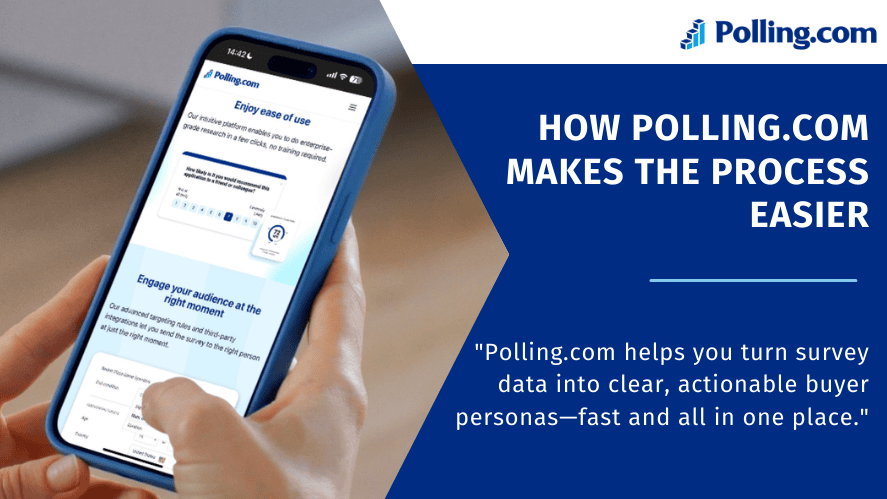
Polling.com offers templates built for before and after comparisons. Key features include:
- Real time comparison dashboards
- Pre built paired survey templates
- Reporting tools included in a free plan
These features reduce manual spreadsheet work and speed up reporting.
Google Forms
Google Forms is free and simple. It integrates with Google Sheets for analysis. However, comparison dashboards may require manual setup.
Typeform
Typeform provides a conversational design and strong user experience. It works well for engagement but may require paid plans for advanced features.
SurveyMonkey
SurveyMonkey offers advanced logic and reporting tools. It is suitable for larger organizations with more complex needs.
When choosing a tool, focus on ease of comparison and reporting efficiency.
Common Challenges and Practical Solutions
Even well designed surveys face obstacles.
Low Response Rates
Solution:
- Send reminders
- Keep surveys brief
- Explain how feedback improves programs
- Share examples of changes made from past feedback
Clear communication increases trust.
Survey Fatigue
Solution:
- Remove unnecessary questions
- Rotate optional sections
- Focus only on what informs decisions
Every question should serve a purpose.
Misaligned Questions
If your pre survey measures knowledge but your post survey measures satisfaction, comparison becomes weak.
Always maintain a consistent core set of metrics.
Overwhelming Qualitative Feedback
Too many open ended questions create analysis overload. Limit to two focused comment prompts:
- What was most valuable?
- What could be improved?
This keeps feedback actionable.
Practical Example
Consider a customer service training program.
Pre survey average confidence 5.2 out of 10
Post survey average confidence 7.9 out of 10
Change Plus 2.7 points
Further analysis shows large improvement in communication skills but smaller gains in conflict resolution. As a result, the next training session includes more role play exercises focused on difficult conversations.
This cycle strengthens program quality over time.
Conclusion
A pre and post survey approach provides clarity, structure, and measurable insight. By establishing a baseline survey, using consistent metrics, and following survey design best practices, organizations can track real impact instead of relying on assumptions.
Moreover, when you combine thoughtful design with careful survey response analysis, feedback becomes actionable. Programs improve. Stakeholders gain confidence. Decisions become data driven.
Whether you are evaluating training, testing a campaign, or improving customer experience, before and after measurement offers a practical path to continuous improvement.