
Survey Integrations: How to Automate Data Collection & Workflows

For years, most teams have lived in the CSV era of surveys.
You collect responses, export a spreadsheet, clean the data, forward it to another team, and maybe act on it days or weeks later.
By the time insights move, the moment has already passed.
The automation era flips this model completely through feedback loop automation.
With modern survey integrations, survey data doesn’t sit idle. Instead, it flows instantly into the tools where work actually happens.
Sales sees feedback in the CRM, support gets alerts in Slack, and product teams receive issues in Jira the moment a response is submitted.
The goal is simple: automate customer feedback loops by making survey data actionable in real time, not trapped in files.
What are Survey Integrations? (The Technical Foundation)
Survey integrations are technical connections that automatically send survey responses to other software tools.
Instead of keeping data in one place, integrations allow feedback to move where teams actually work.
Native Survey Integrations vs. Third-Party Connectors
There are two common survey integration types.
Native integrations are built directly into best survey platforms. They connect easily with CRMs, help desks, and collaboration tools.
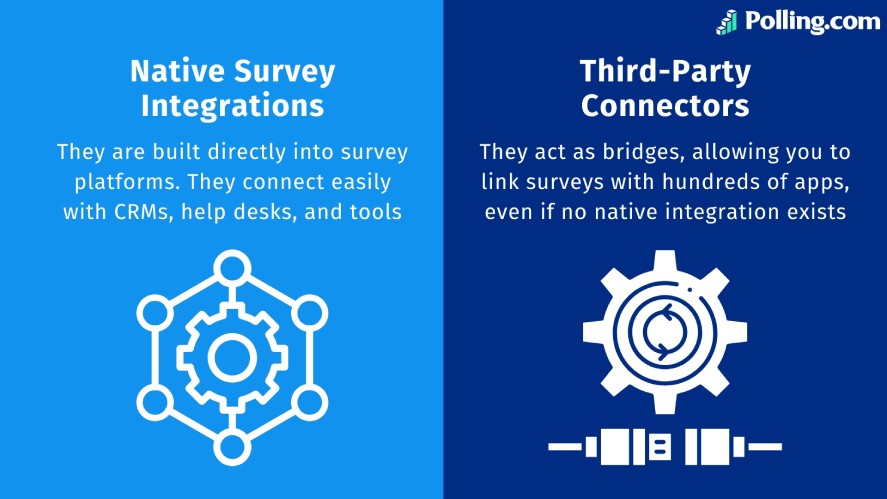
Native integrations are fast to set up, reliable, and ideal for common workflows.
On the other hand, third-party connectors like Zapier or Make act as bridges. They allow you to link surveys with hundreds of apps, even if no native integration exists.
These are perfect for flexible, no-code automation across marketing, sales, and operations using the best survey tools for Zapier.
The Role of Webhooks in Real-Time Data Transfer
Webhooks enable instant, event-based communication.
When a respondent submits a survey, data can be sent instantly using webhook survey triggers or APIs.
Webhooks push responses in real time, which is critical for alerts, follow-ups, and fast feedback loops.
API-Based Custom Solutions for Enterprise Teams
For advanced or large-scale use cases, APIs provide full control.
They allow custom logic, complex data mapping, and even bi-directional data sync across internal systems.
APIs are ideal when integrations must fit strict security, compliance, or performance requirements, especially when using a real-time survey API.
Why Your Business Needs a Survey Integration Strategy
Collecting feedback is only half the job, as the real value comes from how quickly and accurately that data moves into action.
Here are the three reasons why your business needs a survey integration strategy.
Eliminating Data Silos Across Departments
Without integrations, survey data often stays isolated. Meanwhile, sales, support, marketing, and product teams work in separate tools.
This slows response time and increases the risk of missed insights.
By integrating surveys with CRMs and collaboration tools, teams learn how to sync survey data to CRM systems so feedback becomes visible across departments.
This aligns teams around the same customer signals and enables more coordinated decision-making.
Improving Response Lead Time (The 5-Minute Rule)
In many customer-facing scenarios, speed matters.
Many teams follow the 5-minute rule. It suggests that immediate follow-ups work best after users submit feedback.
Survey integrations make this possible. They can trigger alerts, create tickets, or assign tasks the moment a response arrives.
This allows teams to address issues, recover unhappy customers, or capitalize on high-intent leads while the context is still fresh.
Enhancing Data Accuracy by Removing Manual Entry
Manual exports and copy-paste workflows introduce errors, inconsistencies, and missing fields. And automating survey data transfers eliminates these risks.
Responses are mapped directly into the correct systems.
This method preserves data integrity and ensures analytics, reports, and downstream actions are based on clean, reliable information.
Top 5 High-Impact Survey Integration Use Cases
Survey integrations unlock very different kinds of value depending on who’s using the data.
Below are five high-impact use cases mapped to real roles and tools.
They show how automated survey workflows directly improve speed, alignment, and outcomes across teams.
1. Sales & CRM (Salesforce, HubSpot, Pipedrive)
Sales teams rely on context. When survey data is integrated with your CRM, responses like NPS scores or satisfaction ratings are attached directly to each lead.
This means a sales rep can instantly see how a customer feels before starting a renewal or upsell conversation.
A low score may signal risk, while a positive response can indicate an opportunity to expand the relationship.
By syncing surveys with CRM tools, feedback becomes part of the sales process rather than a separate report.
2. Customer Support & Success (Zendesk, Intercom, Freshdesk)
Customer support surveys are most effective when they’re triggered automatically. With survey integrations, teams can send feedback requests the moment they mark a ticket as resolved.
The results flow back into the support employee survey platform. They allow teams to track satisfaction alongside ticket history.
Over time, this makes it easy to spot trends, measure agent performance, and identify recurring issues that frustrate customers.
3. Team Collaboration & Alerts (Slack, Microsoft Teams)
Not all survey responses deserve the same level of attention. When teams connect survey to Slack/Teams, critical feedback surfaces instantly.
For example, teams can push low scores or negative comments to a dedicated channel so the right people see them immediately.
This enables fast internal discussion and quick follow-ups with customers. It also helps teams address problems before they escalate.
4. Marketing & Email Automation (Mailchimp, Klaviyo)
Surveys often capture valuable intent data, such as product interests or feature preferences.
When integrated with email marketing platforms, these responses can automatically update subscriber segments.
Instead of sending generic campaigns, marketers can tailor messaging based on what users actually care about.
The result is more relevant emails, stronger engagement, and better conversion rates.
5. Product & Engineering (Jira, GitHub, Trello)
Product feedback frequently gets lost between tools. Survey integrations solve this by turning responses into actionable work items.
Bug reports, feature requests, or usability issues submitted through surveys can automatically create tickets in Jira, GitHub, or Trello.
This keeps product teams aligned with real user feedback. It also shortens the gap between insight and implementation.
How to Choose the Right Survey Integrations for Your Stack
Not all survey integrations are created equal. The right setup depends on how fast your team needs data, where it needs to go, and how sensitive that data is.
Before connecting tools, it’s worth stepping back and defining what is useful for your workflows.
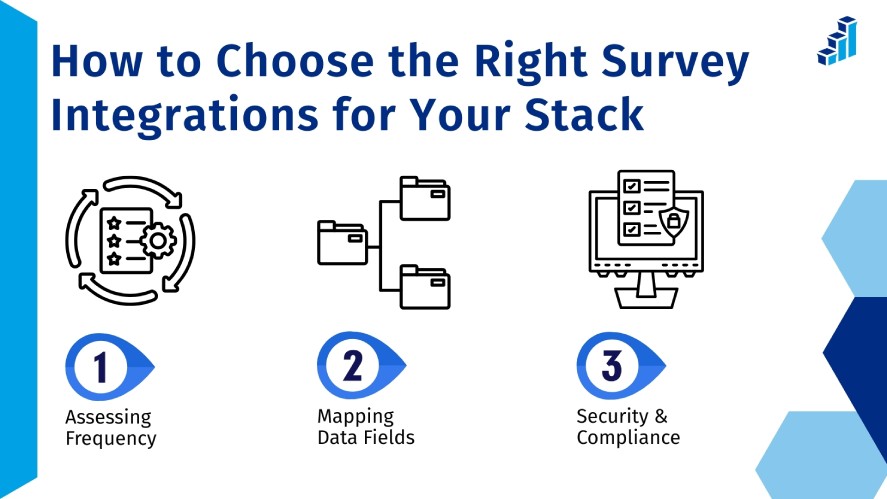
Assessing Frequency
Start by deciding how quickly survey data needs to move.
For long-term research or quarterly reports, a daily or scheduled sync may be enough.
But for customer feedback, NPS surveys, or employee engagement signals, delays can reduce the value of the insight.
Real-time integrations ensure feedback reaches the right team while it’s still actionable.
A dissatisfied customer response, for example, is far more powerful when surfaced immediately rather than hours or days later.
Mapping Data Fields
Survey data mapping is one of the most common failure points in survey automation.
Each platform stores data differently, and mismatched fields can cause errors or incomplete records.
Before launching an integration, confirm that survey response types align with destination fields.
A numeric rating should map to a number field, not text. Multi-select answers may need special formatting.
Getting this right upfront prevents broken workflows and messy data down the line.
Security & Compliance
Surveys often contain personally identifiable information, making security non-negotiable.
Any integration should protect data during transfer between systems by using encryption and secure authentication.
If your surveys collect customer, employee, or healthcare data, you may also need to comply with standards like GDPR or HIPAA.
Choosing tools that prioritize secure APIs and compliance safeguards helps reduce risk and maintain trust.
Step-by-Step: Planning Your First Automated Workflow
Automating surveys doesn’t have to be complex. Most successful workflows use a simple, repeatable structure that teams can build and expand over time.
Phase 1: Identify the Trigger
Every automation starts with an event. In most cases, this is a new survey submission or a completed response.
Clearly defining the trigger ensures the workflow only runs when meaningful data is collected.
Phase 2: Define the Filter
Not every response needs action. Filters allow you to narrow down which submissions matter most.
For example, you might only act on low scores, negative sentiment, or responses from a specific customer segment.
This step keeps your automation focused and prevents teams from overwhelming themselves with unnecessary alerts.
Phase 3: Set the Action
Once conditions are met, decide what should happen next.
This could be sending a Slack message, updating a CRM record, creating a support ticket, or triggering an email workflow.
The goal is simple: move feedback directly into the system where someone can act on it.
Phase 4: Test and Audit
Before relying on automation, test the entire workflow end-to-end.
Submit sample responses, verify that data appears correctly, and confirm alerts reach the right people.
Remember, ongoing audits are just as important.
As tools evolve and workflows grow, regular checks help ensure nothing breaks silently in the background.
Common Survey Integration Challenges (And How to Solve Them)
Even well-designed survey integrations can run into issues once data starts flowing at scale.
Knowing the most common problems ahead of time makes it easier to build workflows that stay reliable as your business grows.
Rate Limits and API Throttling
Most survey platforms, CRMs, and automation tools enforce API rate limits. If too many requests are sent in a short time, data transfers can slow down or fail entirely.
To avoid this, design workflows that batch updates when you don’t need real-time syncing.
For high-volume surveys, consider staggered processing or using webhooks instead of constant API polling.
Monitoring usage and upgrading API limits when needed can also prevent disruptions.
Handling Multi-Select Data Formats
Multi-select questions are powerful, but they often create formatting challenges during integration.
Some tools return responses as arrays, others as comma-separated values. Moreover, not all destination engagement survey platforms handle these formats cleanly.
The solution is to standardize how multi-select data is stored before syncing.
This might mean converting selections into tags, separate fields, or structured lists, depending on the target system.
Clear data mapping ensures these responses remain usable for reporting and automation.
Managing Authentication and Token Expiration
Many integrations rely on authentication tokens that expire over time. When tokens aren’t refreshed properly, workflows can silently stop working.
To avoid this, use customer survey platforms that support automatic token refresh, OAuth, or secure key rotation.
It’s also important to set up alerts or logs that notify your team when an integration fails, so the team can fix issues quickly without losing data.
Future Trends: AI-Driven Survey Automation in 2026
Survey integrations are moving beyond simple data transfers. AI is beginning to play a central role in turning feedback into action without human intervention.
Autonomous Feedback Routing
Instead of relying on manual rules, AI survey integration systems can analyze results in real time. This includes survey sentiment, intent, and urgency.
For example, negative feedback can be routed instantly to support or success teams. Meanwhile, feature requests flow directly to product roadmaps.
This reduces response time and ensures feedback reaches the right department.
Predictive Analytics and Churn Prevention
By combining survey data with CRM and usage data, AI-driven analytics can identify early warning signs of churn.
Declining satisfaction scores, repeated complaints, or changes in sentiment can trigger proactive outreach before a customer decides to leave.
As survey integrations become smarter, they’ll shift from reporting what already happened to predicting what’s likely to happen next.
This gives teams a powerful advantage in retention and growth.
Simplify Your Feedback Loop with Polling.com
Polling.com is a modern enterprise survey platform designed to turn feedback into action the moment it’s collected, even when compared with other free survey platforms.
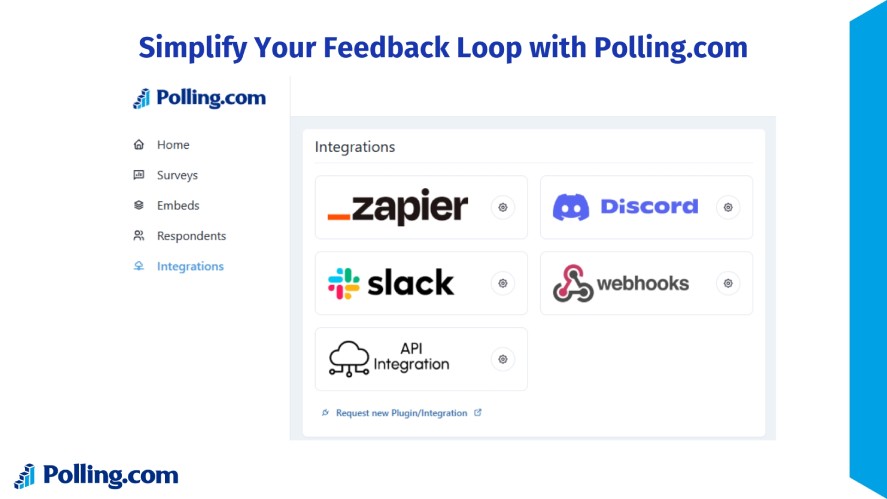
It helps teams automate workflows, eliminate manual exports, and connect survey data directly to the tools they already use.
- Native, One-Click Integrations: We focus on the integrations that matter most, ensuring they work with one click, not a 20-page manual.
- Developer-First APIs: For teams that need custom logic, our robust API and Webhook support offer infinite flexibility.
- Secure by Design: Built with data protection in mind, ensuring secure data transfer and responsible handling of sensitive feedback.
- Lightweight & Fast: Unlike bloated legacy tools, Polling.com ensures your integrations don’t slow down your survey load times.
With Polling.com, your survey data doesn’t just get collected; it flows automatically to the right people and systems, enabling faster decisions and continuous process improvement.
Ready to Put Your Feedback on Autopilot?
Don’t let your valuable customer insights sit in a spreadsheet. Build your first workflow automation today and see why top teams choose Polling.com for their data needs.